Evaluations
Evaluations are the core of Truesight. They define how your AI outputs are assessed: what criteria to check, how judgments are made, and how individual judgments combine into a final result.
How evaluations work
Truesight evaluations assess each output against your custom criteria using AI-powered judges. The evaluation process includes quality checks and combines multiple assessments to produce reliable, consistent results.
Supported model providers
Truesight supports judges from four built-in model providers:
- OpenAI
- Anthropic
- Google Gemini
- Perplexity
Truesight also supports any additional provider compatible with LiteLLM, giving you access to a wide range of models.
When using Truesight's Managed API keys, evaluations draw from your credit balance. Bringing your own API keys (BYOK) is available on the Enterprise plan. See Teams & Organizations for organization-wide key management.
Building evaluations
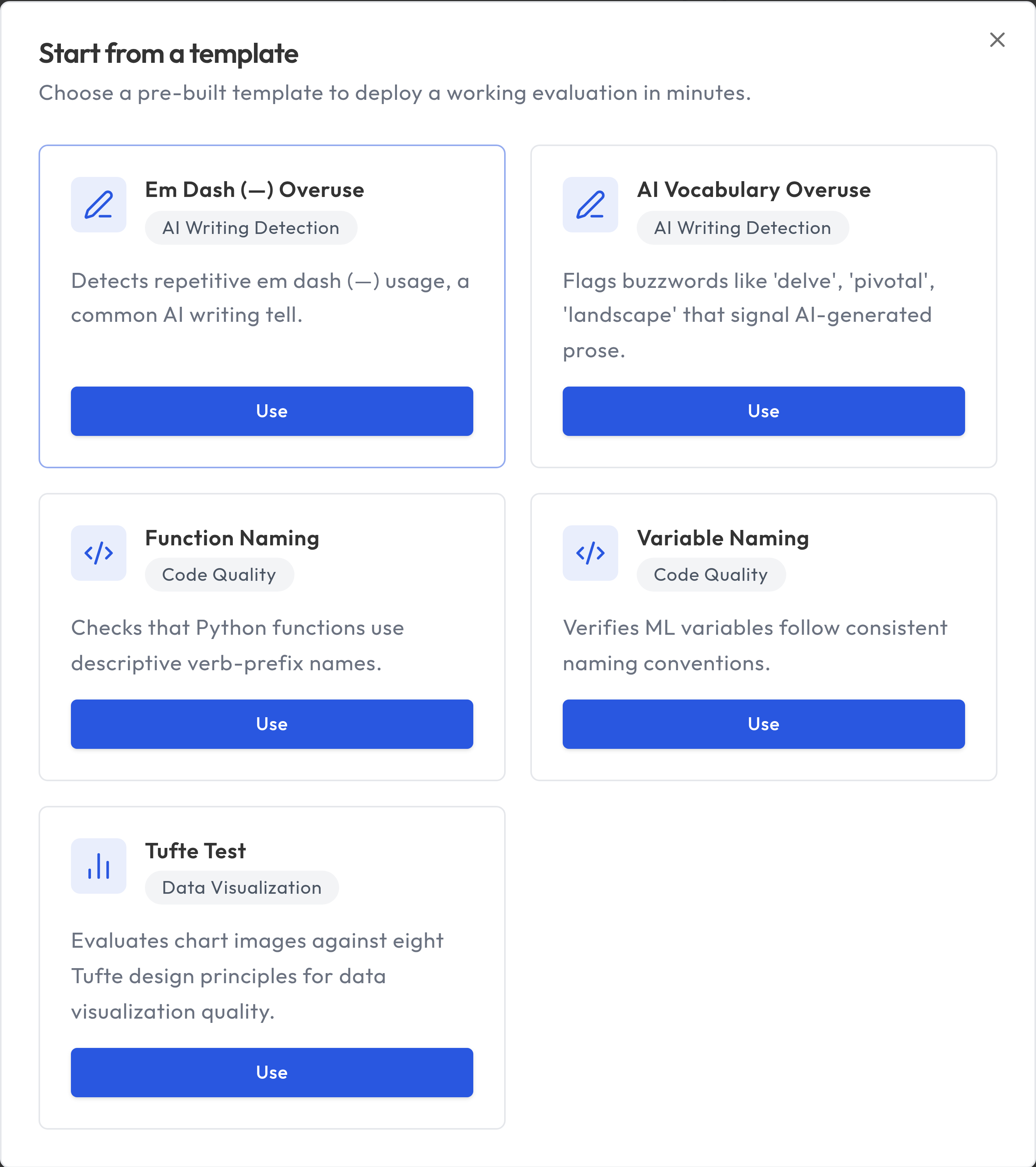
Start from a template
If you want the fastest path, start from a pre-built template on the Dashboard.
- Click Browse Templates
- Choose a template for your use case
- Truesight provisions a private dataset with pre-labeled examples and judgment criteria
- Continue in Guided Setup to review, customize, and deploy
Templates are a strong starting point, but you can edit criteria, add rows, and redeploy to match your domain.
Guided Setup
The recommended way to create evaluations is through Guided Setup, accessible from the sidebar. The wizard walks you through each step:
1. Data
Upload or select the dataset you want to evaluate. The dataset determines what columns are available for your evaluation.
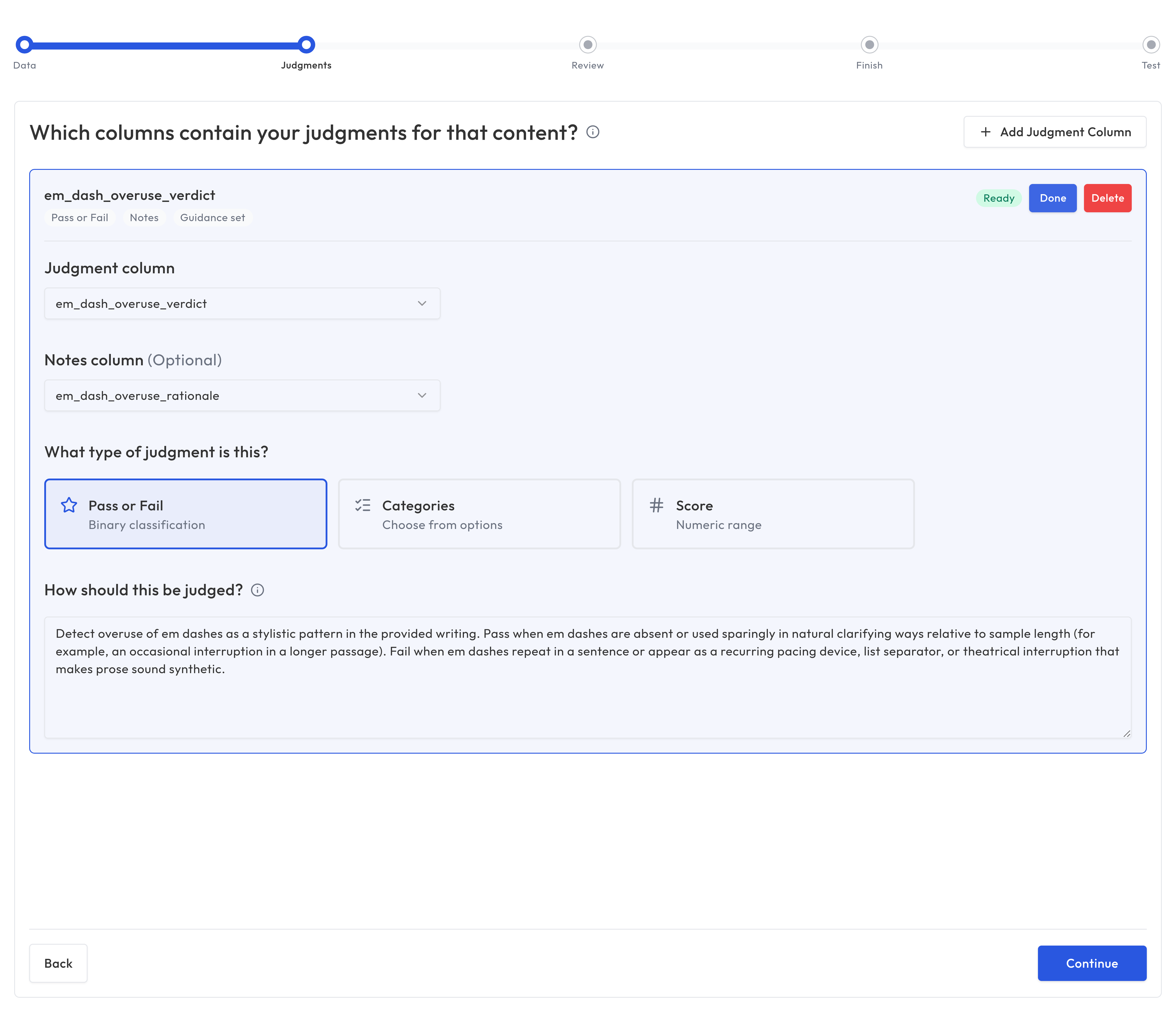
2. Judgments
Configure the judgment columns for your expert annotations or labels. These are the columns with human assessments that Truesight will use to calibrate the evaluation.
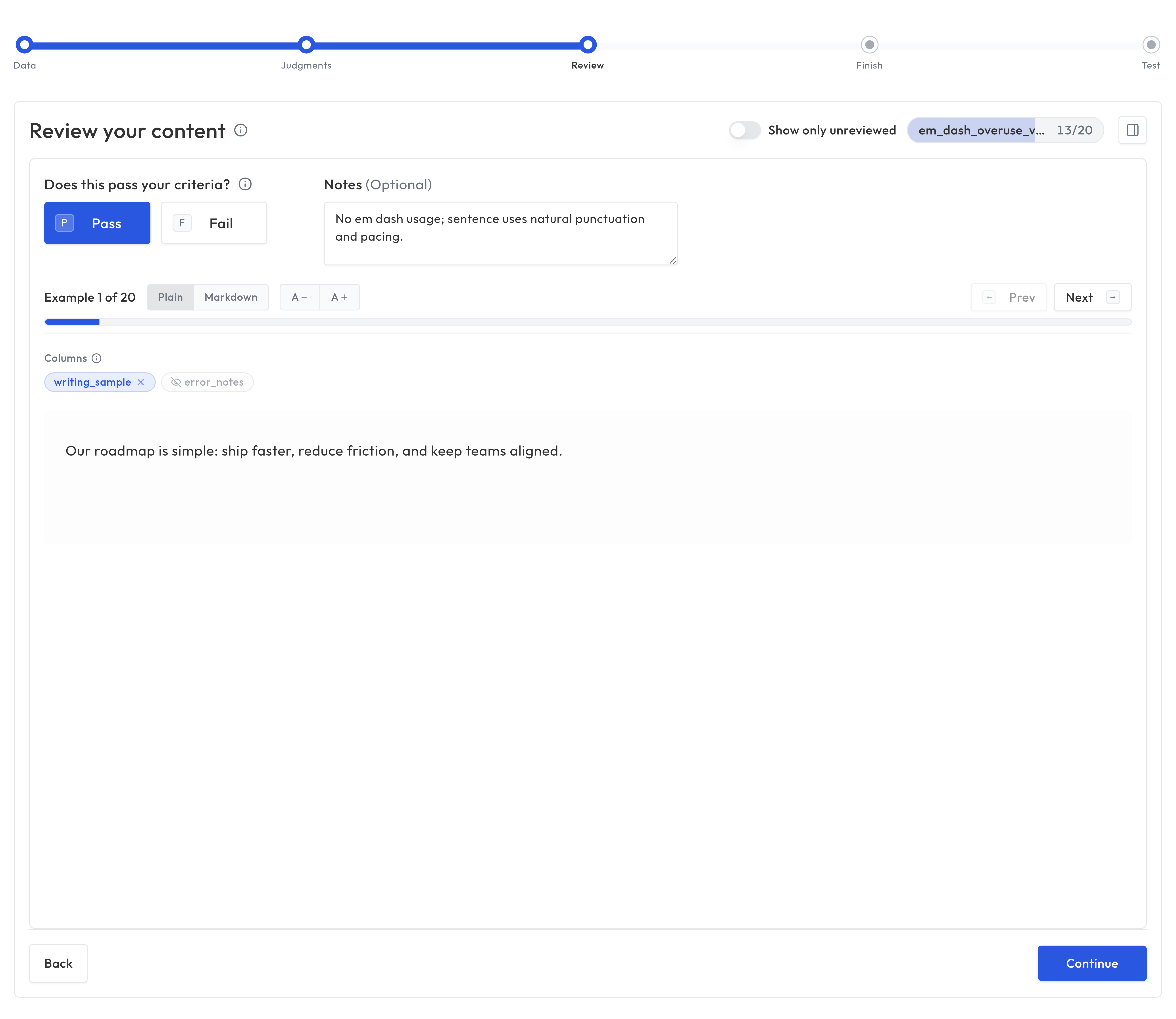
3. Review
Review examples from your dataset and provide expert labels. You can toggle which data columns are visible while reviewing to focus on the content that matters.
4. Finish
Create the evaluation configuration. Truesight generates your evaluation based on the dataset and judgment mappings you've defined.
5. Test
Try your evaluation on sample data to verify it works as expected. Review the results to make sure the evaluation aligns with your expert judgment.
Manual configuration
For advanced users, you can also create evaluations directly from the Evaluations page by clicking Create Evaluation. This gives you full control over the configuration without the step-by-step wizard.
Suggest guidance
Suggest guidance asks Truesight to draft judge criterion text from labeled examples in your dataset. It samples rows, uses your judgment column for labels (and your notes column when configured), and opens a review dialog so you can edit before applying.
You can use it in these places:
- Guided Setup (Judgments step): after you pick a judgment column.
- Error Analysis (Define criteria): when configuring criteria before creating an evaluation from your analysis.
- Evaluation form (Evaluations create/edit): next to each chain's judge criterion when a dataset is selected and the chain has an output field (ground-truth column). Each chain has its own button. Appeal criteria do not include suggest in this version.
- Create variant (Leaderboard → create variant): same judge-only control per chain when the parent dataset is loaded.
You need rows with non-empty values in the judgment/output column. If none are found, Truesight shows an error instead of a suggestion.
What you can evaluate
Truesight evaluations support three input types:
- Text: Evaluate text content such as chatbot responses, generated summaries, or any written output. This is the most common configuration.
- Images: Evaluate visual content such as charts, diagrams, screenshots, or generated images. The evaluation uses only the image with no text input.
- Text and images together: Evaluate content that combines both, such as a chatbot response that includes an image.
You choose the input type when setting up your dataset's content columns. See Datasets for details on configuring input columns.
Running evaluations
You can test evaluations in two ways: the Test step at the end of the Guided Setup wizard, or the Test Evaluation page in the sidebar (for active live evaluations). The evaluation processes your inputs and produces results.
Each result includes:
- The final judgment for each criterion
- Reasoning from each judge
- Appeal outcomes (if applicable)
- The aggregated final result
Testing and iteration
Evaluations rarely work perfectly on the first try. The key to building good evaluations is iterating:
- Run on a sample: Start with a small dataset to see how the evaluation performs
- Review edge cases: Look at examples where the evaluation disagrees with your judgment
- Adjust criteria: Tighten or loosen descriptions based on what you see
- Refine instructions: Give judges more specific guidance for ambiguous cases
- Re-run and compare: Track improvement across iterations
Evaluation variants and the Leaderboard
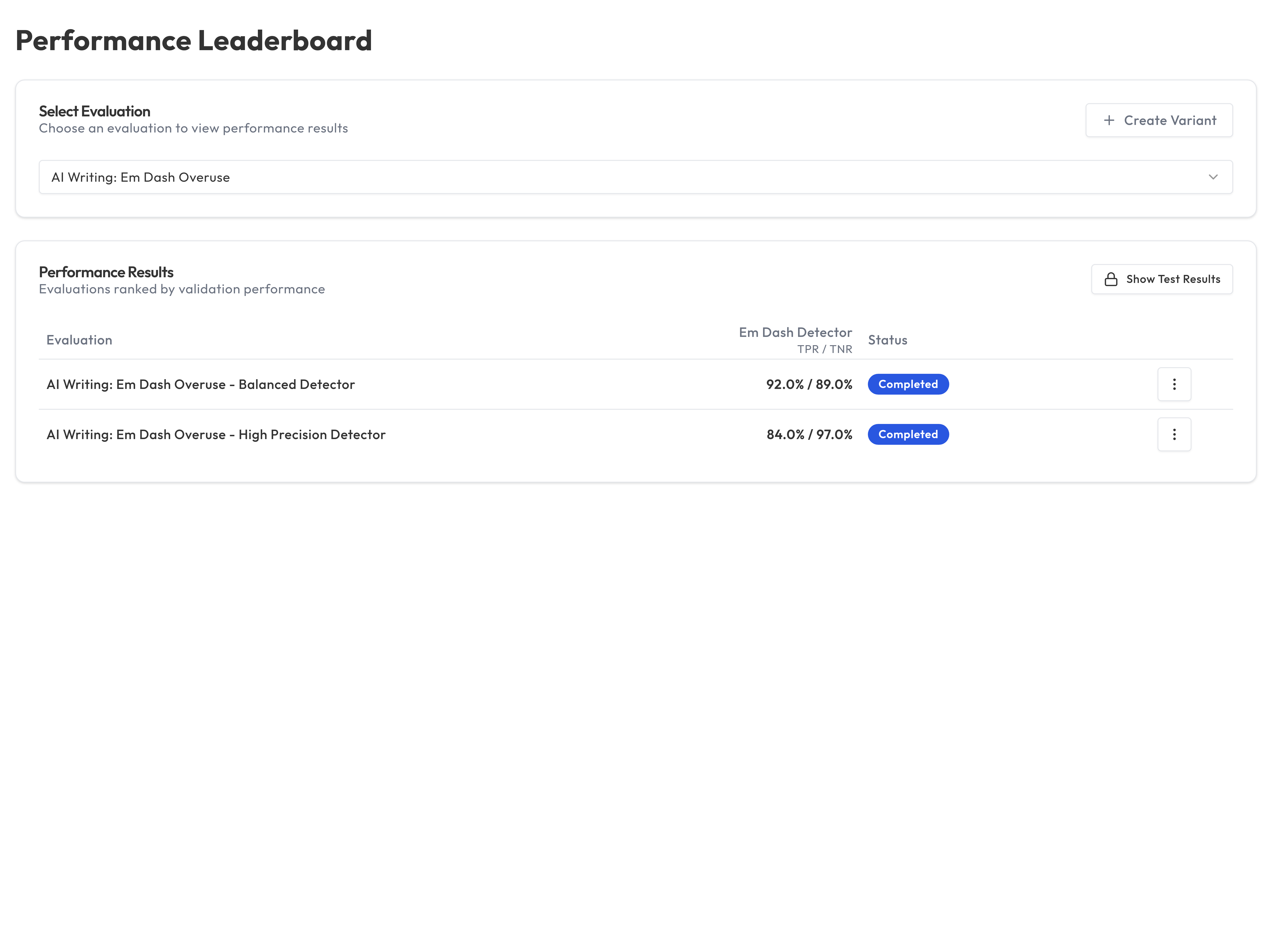
Truesight supports creating variants of evaluations. These are modified versions that you can compare against the original. The Leaderboard shows how variants perform relative to each other, helping you identify the best configuration.
This is useful for:
- A/B testing different judge instructions
- Comparing models across providers
- Experimenting with different criteria formulations
Promoting a variant to production
Once you've identified a better-performing variant, you can promote it to an existing Live Evaluation without changing the endpoint URL or API key. From the Live Evaluations page, open the row action menu for the deployment you want to update and choose Promote Variant. Select the variant to promote and confirm. The live endpoint immediately begins evaluating against the new configuration while all existing integrations continue working uninterrupted.
Example criteria
Good criteria descriptions tell the judge exactly what to look for and where the pass/fail boundary is. Here are examples for a customer support chatbot:
| Criterion | Description |
|---|---|
| Factual Accuracy | The response contains only correct information about company policies, products, and procedures. Pass if all stated facts are accurate. Fail if the response includes fabricated policies, wrong prices, or incorrect procedures. |
| Professional Tone | The response is warm, empathetic, and uses language appropriate for the audience. Pass if the tone is helpful and constructive. Fail if the response is dismissive, overly casual, or robotic. |
| Response Completeness | The response addresses the customer's question fully and provides next steps when applicable. Pass if the customer has all the information they need to proceed. Fail if key details or next steps are missing. |
Each description defines what "good" looks like and draws a clear line between pass and fail. This precision helps judges produce consistent, reliable results.
Best practices
- Start simple: Begin with 2 to 3 criteria and add more as needed
- Write clear descriptions: The quality of your criteria descriptions directly affects judge accuracy
- Test before deploying: Always run evaluations on a test dataset before going live
- Use Error Analysis first: Criteria grounded in real data patterns outperform criteria written in the abstract
- Iterate frequently: Small, incremental improvements compound over time